
List Rows vs Get Row by Id
In the Power Automate Dataverse, developers will become all too familiar with two key actions:
What I’ve noticed is a lot of flows are created that retrieve 1 record from a dataverse table. Sometimes the “Get a row by ID” action was used; other times “List rows” was used.
A pattern I’ve come across is the “List rows” actions had a sole filter being the unique identifier. That guarantees 1 record in the result set. Unfortunately, to get the value from that one record, Power Automate automatically adds in an “Apply to each” loop.
Extra step; extra code to process; extra computing time spent.
Or is it?
That’s where this curious consultant’s test came about.
This post is going to benchmark List Rows vs Get a row by ID in Power Automate to see if there’s a major difference in performance between the two actions retrieving 1 record.
The flow’s set up
Here is the overall flow:

Breaking it down a bit further:

The manual trigger takes two parameters:
- a Unique Id to query the out of the box Contacts table for a specific record
- an integer value of either 0 or 1:
- 1 tells the flow to use the List Rows action;
- 0 tells the flow to use the Get row by Id action.
The variables are initialized and we then check to see which action method to use:


Once determined, the dataverse table will be queried using the relevant action.
To force the flow to do something, a Compose action is implemented to write values out.
At the end of all this:
- we capture the end time using utcNow()
- do a date difference to determine how long it took the flow to run
- then use the Compose action again to display the results
Assumptions:
- No error checking
- The record exists in the out of the box “Contacts” table.
- Both actions query the unique-identifier to eliminate as much discreptancies as possible between how queries are structured
How the tests were run:
- In a sandbox environment
- The actual flow was run once every 15 minutes to prevent frequent usage and any unknown caching affecting the results
- The runs were alternated between using the “List rows” and “Get a row by ID” in attempts to again limit potential caching Microsoft may have implemented
- Run times were just a simple date difference calculation between the Start time and End time
- The end times were determined to be after the completion of the last Compose action. Realistically, this simulates the data being used in at least 1 action after a query. Otherwise, what’s the point of having a query?
The results
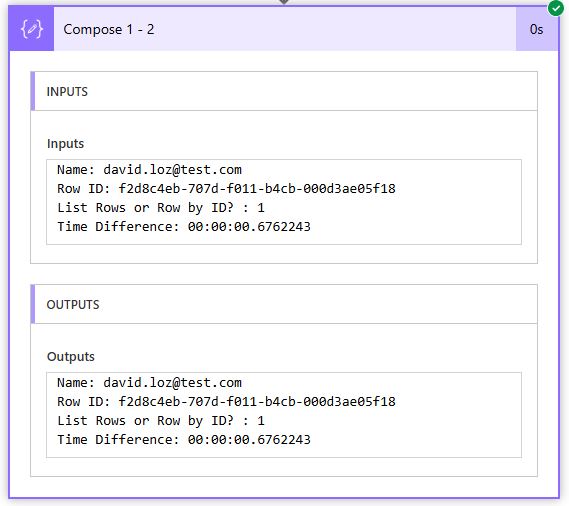
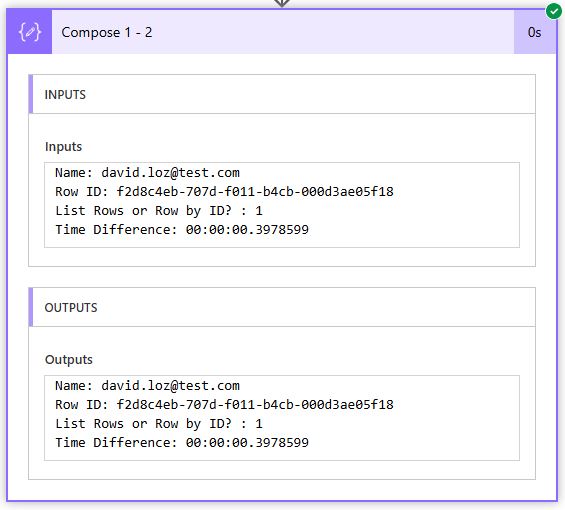
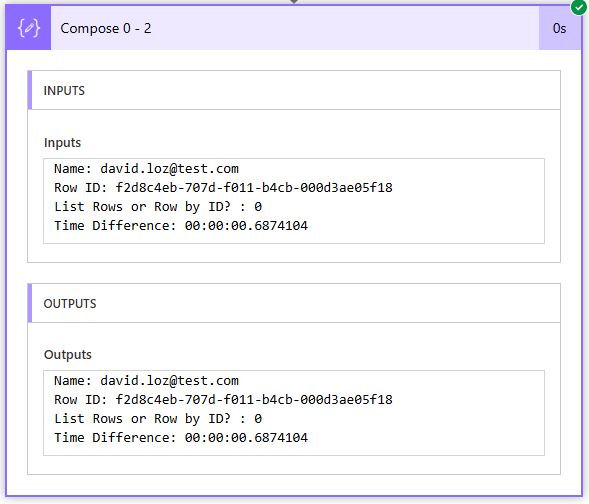
As you can see from the results below, the “Get row by Id” won 2/3 races, and by a clear margin. The first run it lost just by a little bit.
|
|
Run # |
|||||
|
|
1 |
2 |
3 |
|||
|
List Rows |
00:00.6762243 |
00:00.5119403 |
00:00.3978599 |
|||
|
Get row by Id |
00:00.6874104 |
00:00.3363939 |
00:00.2663491 |
|||
Here’s screen captures from each individual run:
- List Rows:

- Get row by Id:



Summing Up
From the results above, anyone looking for speed should definitely use the “Get row by Id” action whenever possible when retrieving one record from a dataverse table.
That concludes our benchmark List Rows vs Get a row by ID in Power Automate tests.
If you have any comments, please leave them below!
Otherwise, happy Power Automating. 🙂