Which is faster? NAC Query a List vs Retrieve an Item
Having worked with numerous Nintex Automation Cloud (NAC) workflows over the last few years, I’ve literally seen thousands of workflow actions that query and retrieve items from SharePoint Online lists.
A number of the Query a List workflow actions though, were configured in such a way that they were just returning one item from the list, based on the item’s List ID.
That’s exactly what the Retrieve an Item workflow action does.
So it got me wondering which is generally faster – NAC Query a List vs Retrieve an Item.
Let’s find out!
The Setup
I’ve created one SharePoint Online list, with roughly 20 list fields, and populated the list with approximately 8 items.
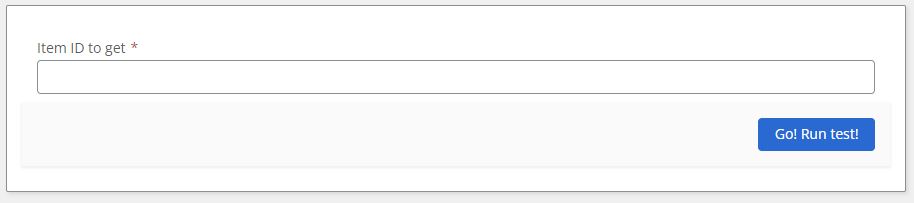
I then created a Nintex Workflow with a start form:

The complete workflow and all the configurations can be found at the end of this blog. In a nutshell, the workflow does the following:
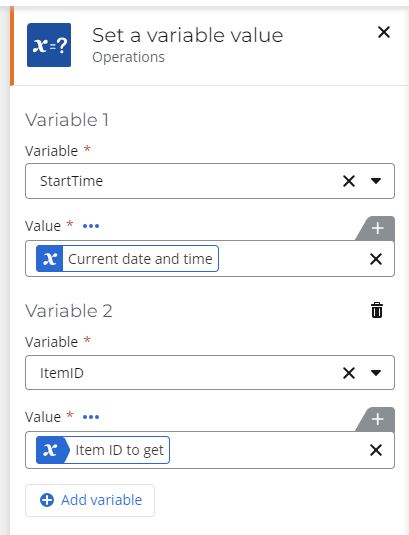
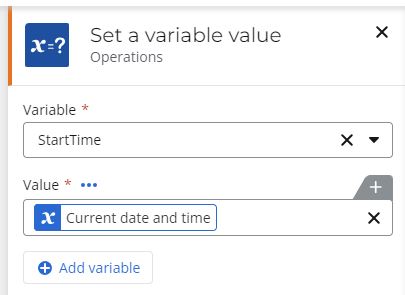
- sets the start time and gets the item ID we want to test again from the Nintex form
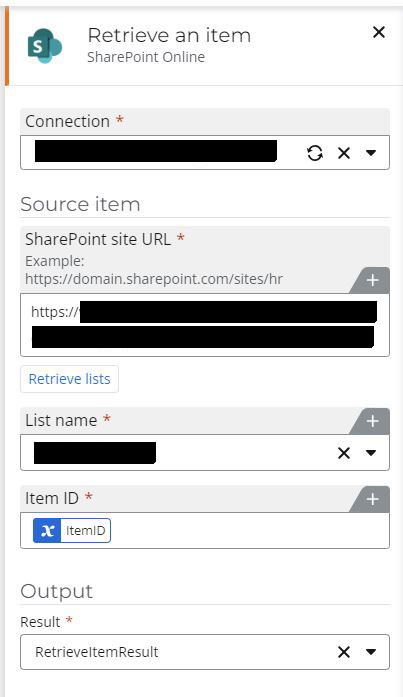
- gets the item from the SharePoint Online list using the “Retrieve an Item” workflow action with the specified item id
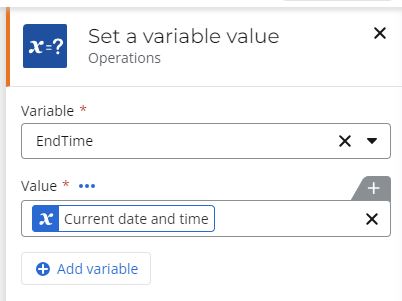
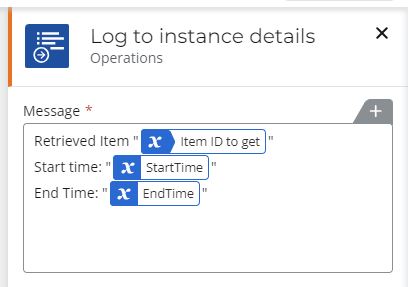
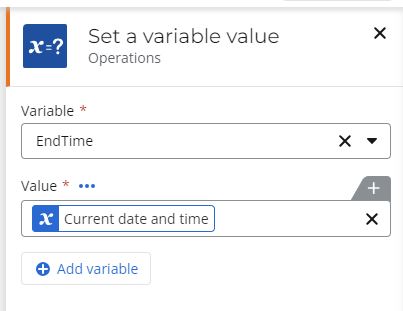
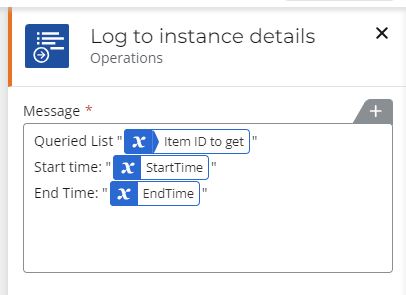
- once retrieved, the end time is saved and the results are printed to the log
- resets the start time variable with the current date/time
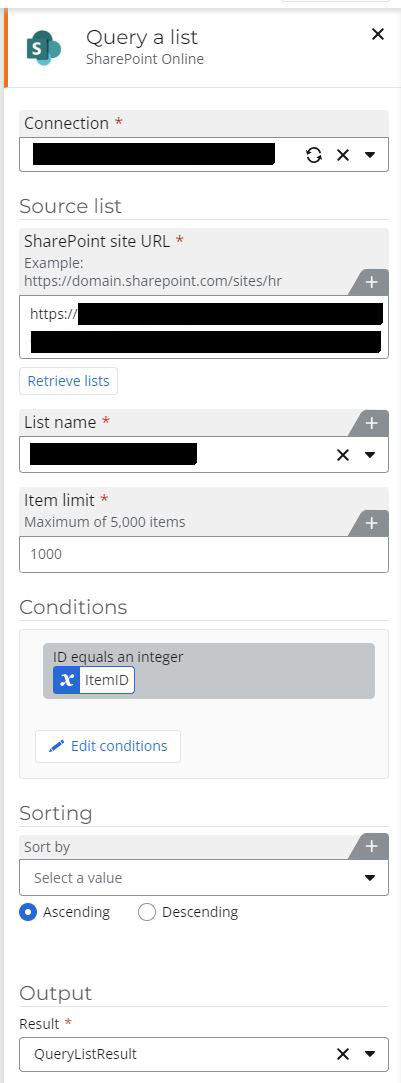
- gets the item from the SharePoint Online list using the “Query a List” workflow action with the specified filters to be where the list Item ID = the item id we input into the form
- once retrieved, the end time is saved and the results are printed to the log
The Results!
This is pretty straight forward.
The workflow was run 3 times on a Sunday afternoon local time when there would hopefully be less overall “traffic” interfering with our results.
However, the stipulation is there’s a lot things out of our control when run. For instance:
- Nintex’s Cloud engine running, available resources, and other items running in NAC that we can’t control
- internet “middlemen” lag
- SharePoint Online’s lag
With that out of the way, here are the results with the screen captures afterwards:
|
|
Number of Seconds taken |
||
|
Retrieve an item |
3 |
2 |
5 |
|
Query a list |
19 |
13 |
4 |
Click any result image to enlarge:
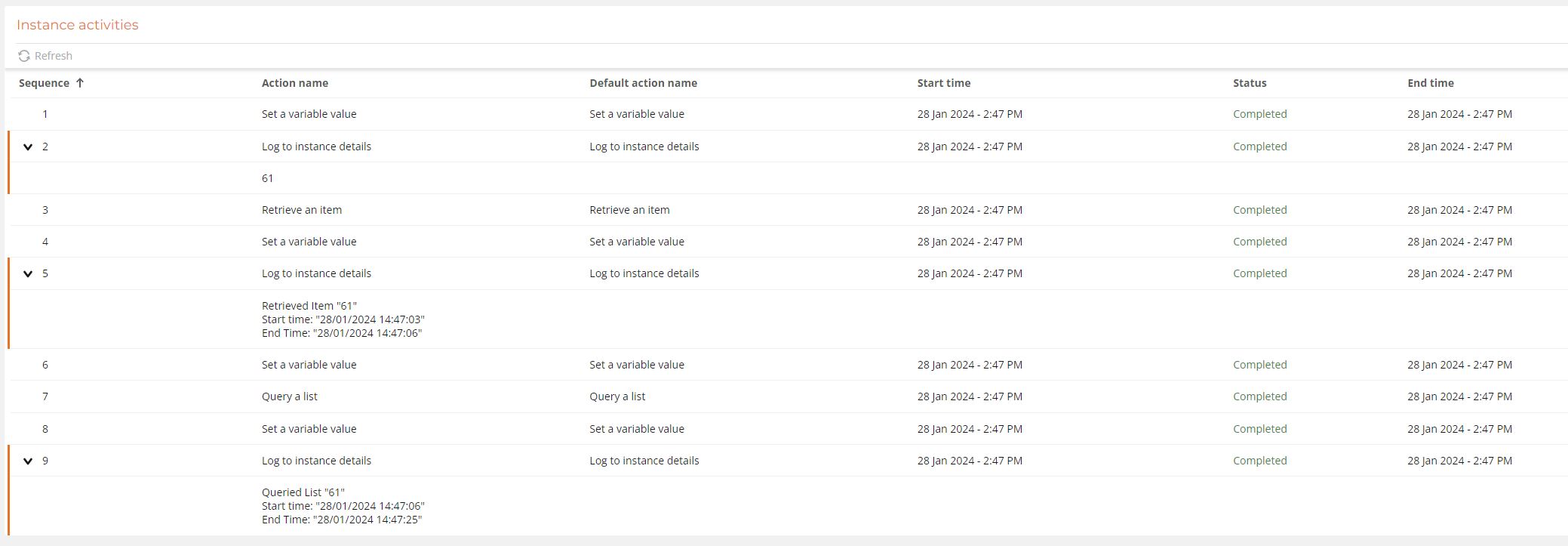

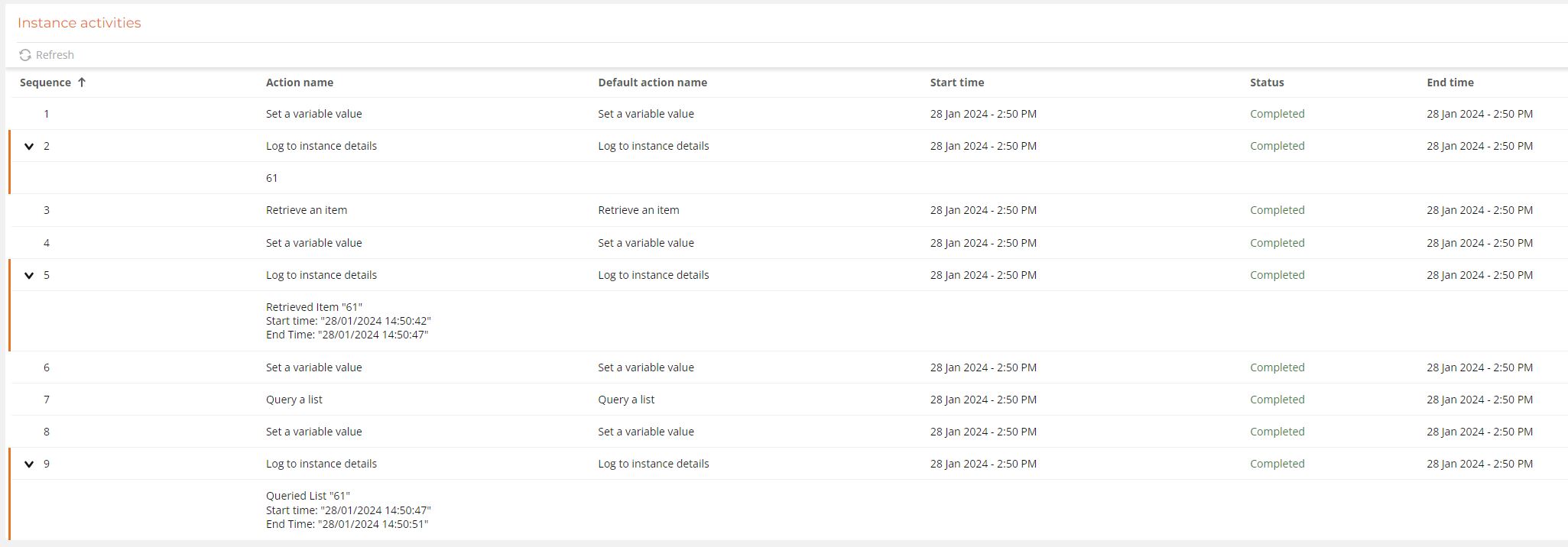
In Summary:
Our of 3 runs, the Retrieve an item took an average of just over 3 seconds, and never took longer than 5 seconds; the Query a list action though took an average of 12 seconds, with only one run clocking in at under 5 seconds.
So assuming everything else equal (including those things beyond our control), it seems that when a user just needs to retrieve one item from a SharePoint Online list with no conditions attached, in our NAC Query List vs Retrieve Item benchmark, the “Retrieve an item” is the faster way to go.
Happy Nintex coding!
Please leave comments if you have any tips/tricks/results to share of your own!
The workflow actions in all their glory:
And the workflow actions in their order of appearance:
The Start form: